Family Health Records on Your Phone
Which family health records belong on a phone, which belong with a clinic, and how to tell whether an app keeps yours on the device or on a server.
Published
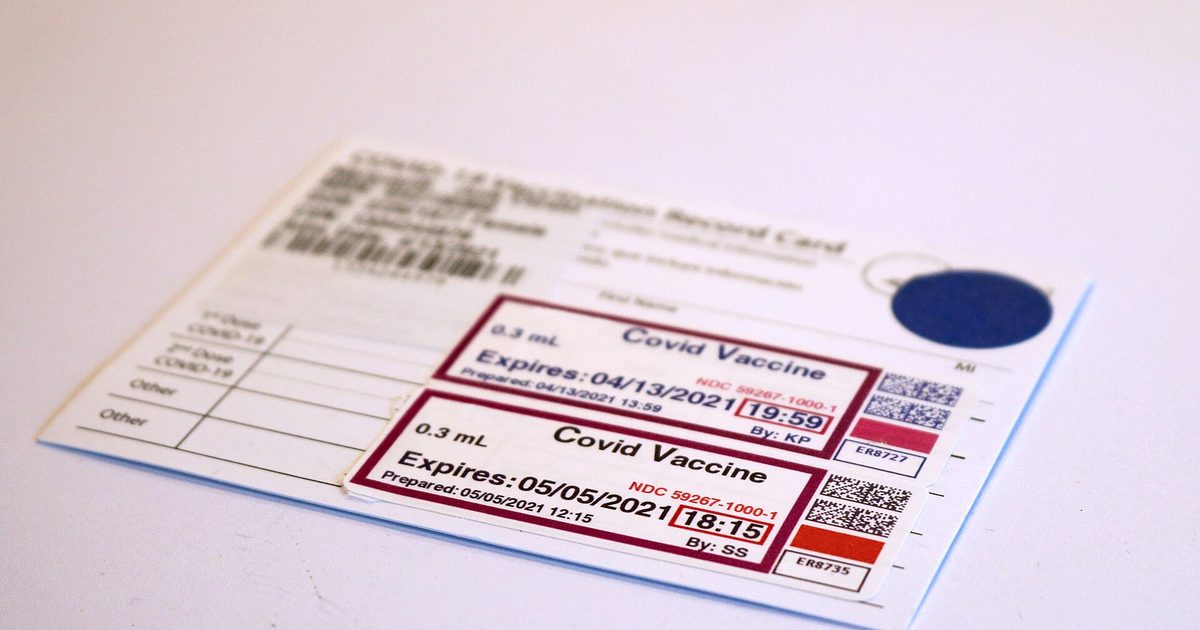
Family health records on your phone fall into two groups: the ones you need to produce on demand, and the ones that only inform a decision. Vaccination dates, allergies and medication lists belong to the first group, which is why they are worth keeping where you can reach them without a signal. Test results and clinical notes belong with the practice that produced them.
Not medical advice. This article is general information about where records are kept, not medical advice and not legal advice. Ask a doctor or a pharmacist about anything concerning your family's health, and a lawyer about your obligations.
Which records earn a place on the phone
A record belongs on your phone when somebody is likely to ask you for it, in a place where you have no time and no printer. A school registration desk in August. A pharmacy counter before a trip. An urgent care clinic at nine on a Sunday.
Three records meet that test for most families. Immunization dates and the vaccine given, because schools, camps and some jobs ask for them in writing. Allergies, especially to medication, because that question is asked before treatment. Current medication and doses, because the answer changes.
Almost everything else can stay with the provider. Lab results, imaging and clinical notes need context to read, and the practice that ordered them keeps them anyway. Copying them to a phone adds risk without adding much use.
Why no single place holds a family's history
No agency in the United States keeps a complete immunization history for a family. Records sit with pediatricians, pharmacies, schools and state registries, and they rarely talk to each other. The CDC publishes a directory of state immunization information systems precisely because there is no national one to point at.
That fragmentation is why family health records on your phone are worth assembling at all. It is also why moving house so often breaks the chain, a problem we cover in moving states with vaccine records and in what to do when records are lost.
On the device, or on somebody's server
Two apps can offer the same feature and keep your data in completely different places. The difference shows up the day something goes wrong, and it is worth knowing which kind you installed before then.
An app that requires an account almost certainly keeps a copy on a server. That is not a criticism: an account is what makes syncing across devices and recovery after a lost phone possible. It is simply a fact about where the record lives, and it decides who else could ever be holding it.
An app that works without a login usually keeps everything on the device. Nothing syncs, a reinstall starts empty, and in exchange there is no server holding the family's medical history and no request to file when you want it gone.
Four tests that settle the question
Open the app in airplane mode. With the network off, a local app still shows every record. A server-backed one shows a spinner or an error.
Reinstall it. If the history is gone, it was only ever on the phone.
Read the App Store privacy label. Apple makes developers declare what leaves the device. "Data Not Collected" is a specific claim with consequences for the developer if it is false.
Find the delete control. A local app clears its own storage at once. A server-backed one has to ask, which means a form and a wait.
Capturing a paper record properly
Most families start from paper: a yellow card, a school form, a printout from a pharmacy. Photographing it is the fastest way to bring it forward, and there are three ways that photograph turns out useless a year later.
The first is framing. A record cropped to the rows you cared about that day loses the clinic name and the header, which is exactly what a registrar checks. Capture the whole document, edges included, even the parts that look like boilerplate.
The second is light. A phone flash on glossy card produces a white blowout across the middle rows. Daylight near a window, with the card flat and the phone parallel to it, reads far better than any filter applied afterwards.
The third is what the photo is for. An image proves nothing to a school portal that wants dates typed into fields. Photographing the card preserves the evidence; entering the dates makes them usable. Both are worth doing, and only one of them survives being asked "when was the second dose?" at a counter.
One record, two jobs
A family health record has to do two different things, and they pull in opposite directions. It has to be available instantly, to you, in a corridor with no signal. It also has to be producible, on paper or as a file, for somebody who will not take your word for it.
Availability argues for the phone. Producibility argues for an export that looks official enough to hand over. An app that does the first without the second leaves you retyping dates into a school portal from a screen; one that does the second without the first is a filing cabinet you cannot open when it matters.
What the law does and does not cover
Most health apps a family downloads are not covered by HIPAA. The Department of Health and Human Services limits the privacy rule to health plans, clearinghouses and providers who bill electronically, plus their business associates. Its guidance on health apps and HIPAA sets out exactly where the boundary sits.
The Federal Trade Commission's Health Breach Notification Rule, amended in 2024, requires consumer health apps to notify users when their records leak. Notification matters. It still describes what happens after the data is already out.
How Vaxnext handles it
Vaxnext keeps the family's vaccination history on the phone, with no account and no server copy. Due dates are calculated on the device against the CDC and ACIP schedule, and the export exists for the moment a school or a clinic asks for proof on paper.
The limit is the same one every local-only app carries. Nothing syncs to a second device on its own, and a new phone starts empty unless a system backup brings the data across. Keeping every family record in one place explains how we think that trade is best managed.
The same reasoning applies outside vaccination records. Kalo.Quest, which we also build, reads a meal photo on the device and keeps the result there for the same reason: a nutrition log is nobody else's business, and a record nobody holds cannot leak.
What a phone does not protect you from
Keeping records local removes the server from the picture. It does not remove the phone. An unlocked device is a readable device, and when the phone holds the only copy, losing it loses the record.
Two habits fix most of that. Use a passcode or biometric lock, and leave the encrypted system backup switched on, on iPhone and Android alike, so the data moves with you when the handset does not.
FAQ
Are health apps covered by HIPAA?
Usually not. HIPAA binds health plans, clearinghouses and providers who bill electronically, plus their business associates. An app you choose and install yourself is generally none of those, which is why the FTC's breach notification rule exists to cover part of the gap.
How do I know if an app stores my data on a server?
Open it with the network off. If your records still appear, they are on the device. Reinstalling is the second test: a history that survives a reinstall came back from somewhere, and that somewhere is a server.
What happens to phone records if I lose the phone?
With a local-only app, the records go with it unless a system backup has a copy. On iPhone and Android alike, the system backup carries app data to a replacement device when it is switched on, which is why leaving it enabled matters more for local apps than for any other kind.